How do I update my display name or email address?
Last updated: October 10, 2026
Both are self-serve.
- Login email: go to app.gofractional.com/account (in the app: click your name at the bottom of the left menu, then Account). Under Email addresses, add a new address or change which one is primary.
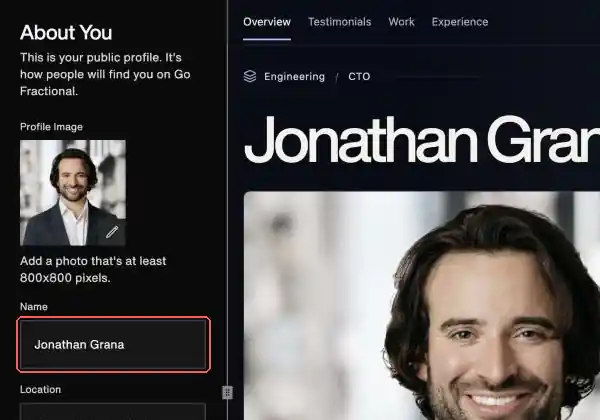
- Public display name: go to app.gofractional.com/profile (in the app: Profile, then Overview) and edit the Name field. It saves as you type.
Will this change my profile link?
No. Your display name and login email are separate from your public profile link, so updating them won't change the link.
If your link has the wrong name in it, email hello@gofractional.com with your current profile link and the correction you need.
Related article: My public profile shows outdated or incorrect information